

Streak Alternatives for Gmail in 2026: Features and Pricing Compared
Compare Talvu, NetHunt, Copper and HubSpot as Streak alternatives, with current prices, Gmail workflows and the limits that matter before switching.
The most useful Streak alternatives depend on what you want to change. Talvu suits a simpler contacts, projects, tasks and notes workflow beside email. NetHunt is a closer match for managing sales records inside Gmail, with automation on higher plans. Copper connects Gmail to a separate CRM for sales and projects. HubSpot offers a permanent free starting point, with limits on users and records.
Those differences matter more than a long feature list. A Gmail sidebar, a pipeline inside Gmail and background email synchronization solve different problems. This comparison uses official product and pricing documentation checked on November 1, 2026; it does not present hands-on performance tests. For the wider field, see the Gmail CRM comparison.
What are you replacing in Streak?
Streak puts pipelines, individual records called boxes, and an email sidebar in Gmail. Its appeal is keeping customer conversations and pipeline updates in the same working environment. Our Streak guide explains that model in more detail.
The current paid baseline is Pro at $49 per user per month with annual billing, or $59 monthly. Pro includes unlimited pipelines and records. Pro+ costs $69 annually or $89 monthly and adds automations, integrations and advanced reporting. Streak also offers free email tools, including tracking, snippets and mail merge limited to 50 emails a day. Those tools are separate from its paid CRM. Streak pricing lists the current plan boundaries.
Write down the reason for leaving before choosing another tool. Lower subscription cost, fewer configuration decisions, more automation and a permanent free plan lead to different shortlists. If Streak already fits the work, a cheaper entry price alone may not justify rebuilding your process.
Streak alternatives: prices and practical differences
Prices below are in USD. Annual figures are monthly equivalents with an annual commitment, not a monthly payment option. Compare the plan containing your required features.
| Product | Starting offer | Gmail workflow | Main reason to consider it | Main condition |
|---|---|---|---|---|
| Streak, for reference | Pro: $49/user/month annually; $59 monthly | CRM pipelines and records inside Gmail | Keep an established Gmail pipeline | Automation and advanced reports need Pro+ |
| Talvu | $10/month annually ($120/year); $15 monthly | Chrome side panel for contacts, projects, tasks and notes | Start with everyday customer work and useful project notes | 14-day trial; paid access afterward |
| NetHunt | Basic: $24/user/month annually; $30 monthly | CRM records and pipelines inside Gmail | Keep sales management close to the inbox | Business automation starts at $60/user/month monthly; annual quote required |
| Copper | Basic: $23/seat/month annually; $29 monthly | Gmail extension connected to a web CRM | Manage sales opportunities and delivery projects | Basic has 2,500 contacts; workflow automation needs Professional or Business |
| HubSpot | Free for up to 2 users and 1,000 contacts | Gmail sales extension connected to a separate CRM | Start a small shared CRM without a subscription | Other standard objects share a separate 1,000-record account limit |
Sources: Talvu plans, NetHunt pricing, Copper pricing and HubSpot free tools.
Talvu: for contacts, projects and the next task
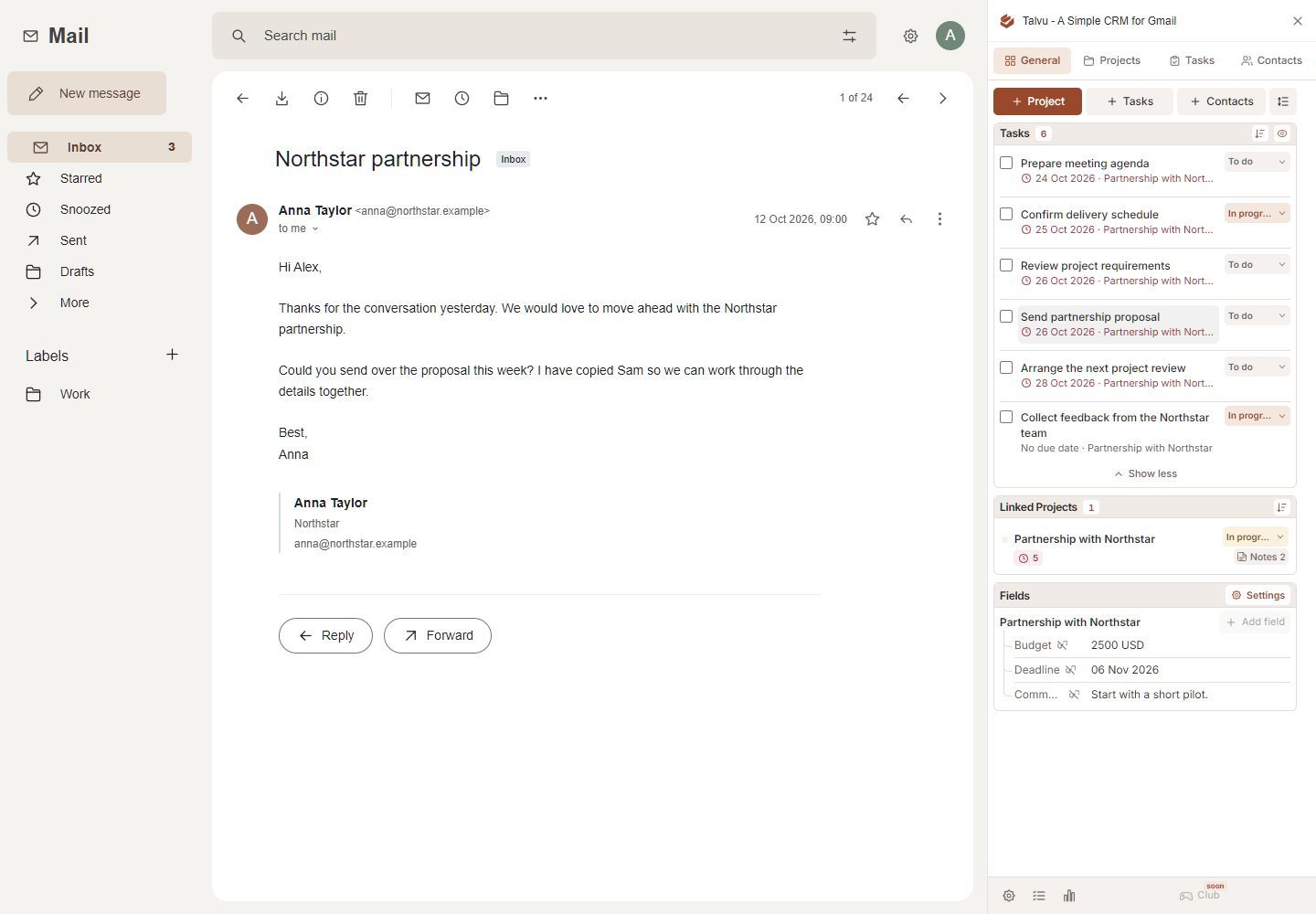
Talvu starts with contacts, projects, tasks and notes. You can save a contact from an email, create a project for a proposal or ongoing job, and add a task with a due date. Projects can represent commercial work, including a deal, without requiring a dedicated deal pipeline before you begin. Its getting-started guide walks through that first conversation; statuses and panel sections can be adjusted later.
Notes are a specific reason to consider it. Talvu can save a page link, selected text with its source, or a confirmed area capture from an ordinary website into a project note. You choose the account and project before saving. The optional selection button requires the documented extension version and website permission; explicit capture routes remain available without that optional access. Saving web material creates a note, so add a task separately when action is needed. Talvu's Notes guide explains those conditions.
Its Files view lists attachments from conversations linked to a project and lets you open the source email. It does not turn Talvu into an attachment backup. This is useful when a quote, specification and follow-up belong to the same job.
Choose Talvu when those are your daily requirements. If your shortlist depends on advanced forecasting, multi-user permissions or automated outbound sequences, verify those requirements separately rather than assuming every CRM includes them. The Talvu review covers its supported features and current evidence limits.
NetHunt: for sales work inside Gmail
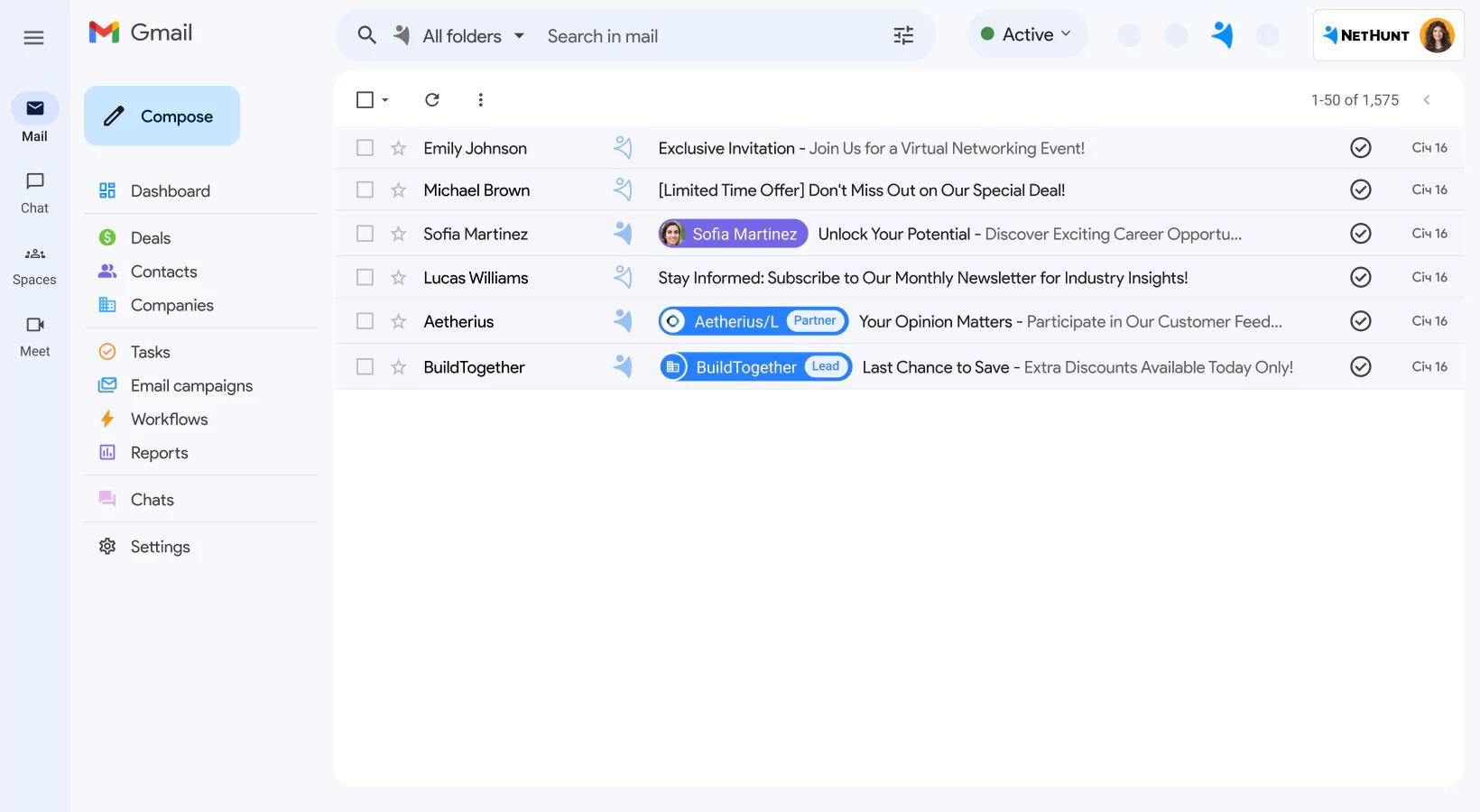
NetHunt is worth considering when you want to keep CRM records and sales pipelines inside Gmail. Its Gmail integration supports creating records, managing pipeline fields and sharing records with colleagues. Tasks give the team a way to assign the next action while working around the same customer information. NetHunt's Gmail documentation describes this embedded workflow.
The important pricing distinction is automation. Basic starts at $24 per user per month annually or $30 monthly, but it is not the automation tier. Business includes sales automation and sales and team activity reports; its published monthly price is $60 per user, while annual pricing requires a quote. Compare that with the Streak tier you actually use.
NetHunt makes sense for a team that wants records, tasks and sales processes in Gmail. It adds decisions about folders, fields and workflow design, which may be unnecessary for someone who only needs a contact list and reminders. Its plan comparison is useful for checking those boundaries. A free trial lasts 14 days; continued CRM access requires a subscription.
Copper: for Gmail conversations and a separate sales workspace
Copper's Chrome extension lets you manage people, companies, opportunities, projects and tasks beside Gmail. You return to the web app to visualize the pipeline, view reports or change account settings. That split is a material difference from keeping a pipeline inside Gmail. Copper's extension guide makes the distinction explicit.
For a service business, the combination of opportunities and projects may be useful: winning work and delivering it are separate activities, even when they involve the same customer. During evaluation, check how your team would move between those records and the inbox.
Basic costs $23 per seat per month annually or $29 monthly, with 2,500 contacts, pipelines, project management and task automation. Professional costs $59 annually or $69 monthly and adds workflow automation, bulk email and reporting. Business adds email series. These are different levels of automation, so avoid treating Basic's task automation as equivalent to a complete email sequence. Copper pricing details the tiers.
Copper fits teams comfortable using Gmail for conversations and a web application for pipeline review. It is a weaker fit if your central requirement is completing every pipeline task without leaving Gmail.
HubSpot: for a small free CRM connected to Gmail
HubSpot is a reasonable Streak alternative when your first requirement is a permanent free CRM. Its free tools support up to two users and 1,000 contacts. The account also has a 1,000-record limit across other standard object types. That second limit matters when you plan to store companies, deals and other records alongside contacts. HubSpot's free-plan FAQ states the limits.
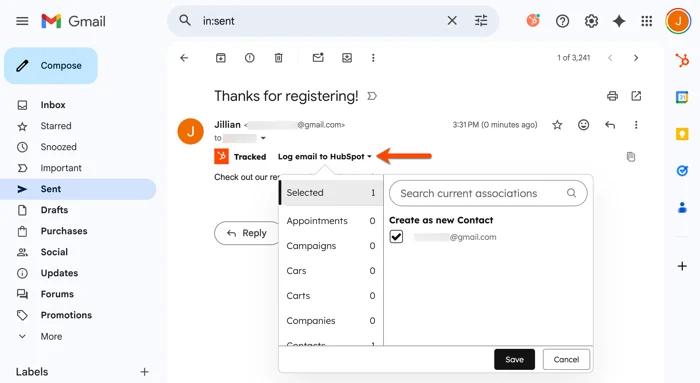
The Gmail Chrome extension adds sales tools to the inbox, while the broader CRM lives in HubSpot. You can connect your email and log a sent or received message to associated CRM records. Review logging settings and permissions so colleagues see the customer activity you intend to share. HubSpot's installation guide covers the extension and connection requirements.
Choose it when two people can work within the free limits and want room to evaluate a broader CRM platform. If you need automated sequences or larger limits, price those requirements before moving your data. Our free Gmail CRM guide separates permanent plans, restricted email tools and trials.
Test the replacement with one complete customer workflow
Use a small, representative sample before moving your whole database. Include one active opportunity, an ongoing project, a returning customer and a conversation involving several contacts.
- Map Streak's boxes, columns and stages to the destination's contacts, projects or deals. Decide which fields remain useful.
- Confirm how existing emails become associated with a record. Connecting Gmail does not, by itself, prove that every historical thread will appear.
- Create the next task, save a note and locate a file. Check whether each action stays in Gmail or opens the web CRM.
- Check shared access with the people who will use it. A solo trial cannot establish whether the team workflow fits.
- Review an export and the paid plan required after the trial. Keep your source data until the new records and relationships are checked.
If the work still fits a few labels and a follow-up list, start with the guide to using Gmail as a CRM. Otherwise, choose the alternative that completes your real workflow at a sustainable price. Talvu, NetHunt, Copper and HubSpot each address a different reason for leaving Streak.